Glow Icons1.4.0
Publisher Description
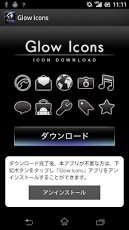
This app is a "download-icon-images-only" app.
The icon image data you downloaded can be used in an application to change a shortcut icon, or like that.
You can enjoy a total of 30 icons.
Vol.5(5 icons) NEW!
・Memo
・Shopping
and the other three
Vol.4(5 icons)
・Weather
・Social
・Transfer
・Clock
・Calculator
Vol.3(5 icons)
・Game
・News
・Book
・TV
・Radio
Vol.2(5 icons)
・Calendar
・Maps
・Navigation
・Album
・Phone book
Vol.1(10 icons)
・Dial
・Email
・Browser
・Camera
・Messaging
・Music
・Play Store
・Settings
and the other two
■ Recommended device
Android OS1.6 ~ 4.1 devices available in Japan:
· Xperia SO-01B
· Xperia arc SO-01C
· Xperia acro IS11S
· Xperia acro SO-02C
· Xperia ray SO-03C
· Sony Ericsson mini S51SE
· Xperia PLAY SO-01D
· Xperia NX SO-02D
· Xperia acro HD IS12S
· Xperia acro HD SO-03D
· Xperia GX SO-04D
· Xperia SX SO-05D
· Xperia VL SOL21
· Xperia AX SO-01E
· Xperia Z SO-02E
· Xperia A SO-04E
· Xperia Z1 SO-01F
· Xperia UL SOL22
· Xperia Z1 SOL23
About Glow Icons
The company that develops Glow Icons is SE Design Co., Ltd.. The latest version released by its developer is 1.4.0. This app was rated by 1 users of our site and has an average rating of 5.0.
To install Glow Icons on your Android device, just click the green Continue To App button above to start the installation process. The app is listed on our website since 2013-12-08 and was downloaded 27 times. We have already checked if the download link is safe, however for your own protection we recommend that you scan the downloaded app with your antivirus. Your antivirus may detect the Glow Icons as malware as malware if the download link to jp.co.sedesign.glowicons is broken.
How to install Glow Icons on your Android device:
- Click on the Continue To App button on our website. This will redirect you to Google Play.
- Once the Glow Icons is shown in the Google Play listing of your Android device, you can start its download and installation. Tap on the Install button located below the search bar and to the right of the app icon.
- A pop-up window with the permissions required by Glow Icons will be shown. Click on Accept to continue the process.
- Glow Icons will be downloaded onto your device, displaying a progress. Once the download completes, the installation will start and you'll get a notification after the installation is finished.
Program Details
System requirements
Download information
Pricing
Version History
version 1.4.0
posted on 2013-12-08
* Changed in v1.4.0,NEW 5 icons : Memo, Shopping, and the other three,* Changed in v1.3.0,NEW 5 icons : Weather, Social, Transfer, Clock, Calculator,Support OS4.2 version : Xperia Z1 SO-01F, Xperia Z1 SOL23. (in Japan),* Changed in v1.2.0,NEW 5 icons : Game, News, Book, TV, Radio,* Changed in v1.1.0,NEW 5 icons : Calendar, Maps, Navigation, Album, Phone book,* Changed in v1.0.1,Support OS4.1 version : Xperia Z SO-02E, Xperia A SO-04E, Xperia UL SOL22 (in Japan).
version 1.0.1
posted on 2013-06-05
Several fixes and updates
